Showing posts with label Tips. Show all posts

Monday, April 29, 2013

hss 500 internal server error [solved]


Remove hss 500 internal server error in just 6 steps:

Step 1:Download shield vpn Download
Step 2:Open Shield VPN and select Expat shield in choose server.
Step 3:And select port that you want to connect.
Step 4:Click on connect
Step 5:Download ultrasurf Download and open it. Wait untill it shows connected successfully.
Step 6:Change proxy in browser and download manager to 127.0.0.1 and port to 9666.


You have done now use your net without any internal server error!!!!!!!!

Saturday, March 30, 2013

Crack Windows Password..........Very Easy!!


What is ophcrack?

Ophcrack is a free Windows password cracker based on rainbow tables. It is a very efficient implementation of rainbow tables done by the inventors of the method. It comes with a Graphical User Interface and runs on multiple platforms.

Features:

  • » Runs on Windows, Linux/Unix, Mac OS X, ...
  • » Cracks LM and NTLM hashes.
  • » Free tables available for Windows XP and Vista/7.
  • » Brute-force module for simple passwords.
  • » Audit mode and CSV export.
  • » Real-time graphs to analyze the passwords.
  • » LiveCD available to simplify the cracking.
  • » Dumps and loads hashes from encrypted SAM recovered from a Windows partition.
  • » Free and open source software (GPL).

Download ophcrack LiveCD:

The latest version of ophcrack LiveCD is 3.4.0 (including ophcrack 3.4.0). There are three versions available:
  • » ophcrack XP LiveCD: cracks LM hashes (Windows XP and earlier)
  • » ophcrack Vista LiveCD: cracks NT hashes (Windows Vista and 7)
  • » ophcrack LiveCD: does not include any tables (if you already downloaded them)
 
download_button ophcrack XP LiveCD logo-cd
ophcrack-xp-livecd-3.4.0.iso

 md5sum: 2af5b6c23d455310542dba892791fa57

download_button ophcrack Vista/7 LiveCD logo-cd
ophcrack-vista-livecd-3.4.0.iso

 md5sum: 79703fec9016e377abb7d8b047e8037b

download_button ophcrack LiveCD (without tables) logo-cd
ophcrack-notables-livecd-3.4.0.iso

 md5sum: 721e8421442f1fe9d96af6b91ca7e3bd

Free XP Rainbow tables

These tables can be used to crack Windows XP passwords (LM hashes). They CANNOT crack Windows Vista and 7 passwords (NT hashes).


tables_xp
download_button XP free small (380MB)
formerly known as SSTIC04-10k

Success rate: 99.9%
Charset: 0123456789abcdefghijklmnopqrstuvwxyzABCDEFGHIJKLMNOPQRSTUVWXYZ
md5sum: 17cfa3fc613e275236c1f23eb241bc86

download_button XP free fast (703MB)
formerly known as SSTIC04-5k

Success rate: 99.9%
Charset: 0123456789abcdefghijklmnopqrstuvwxyzABCDEFGHIJKLMNOPQRSTUVWXYZ
md5sum: f6f5536975b57c891ed5f2de702a02bd

download_button XP special (7.5GB)
formerly known as WS-20k

Success rate: 96%
Charset: 0123456789abcdefghijklmnopqrstuvwxyzABCDEFGHIJKLMNOPQRSTUVWXYZ !"#$%&'()*+,-./:;<=>?@[\]^_`{|}~ (including the space character)

download_button XP german (7.4GB)
formerly known as german

Success rate: 99%
Only for passwords that contain at least one german character (äöüÄÖÜß)
Charset: 0123456789abcdefghijklmnopqrstuvwxyzABCDEFGHIJKLMNOPQRSTUVWXYZ !"#$%&'()*+,-./:;<=>?@[\]^_`{|}~ äöüÄÖÜß

Free Vista Rainbow tables

These tables can be used to crack Windows Vista and 7 passwords (NT hashes).
tables_vista
download_button Vista free (461MB)

Success rate: 99%
Charset: based on a dictionary with variations (hybrid mode)
md5sum: 403cf58178d7272a48819b47ca8b2e6b

download_button Vista special (8.0GB)
formerly known as NTHASH

Success rate: 99%
Passwords of length 6 or less
  Charset: 0123456789abcdefghijklmnopqrstuvwxyzABCDEFGHIJKLMNOPQRSTUVWXYZ
  !"#$%&'()*+,-./:;<=>?@[\]^_`{|}~ (including the space character)
Passwords of length 7
  Charset: 0123456789abcdefghijklmnopqrstuvwxyzABCDEFGHIJKLMNOPQRSTUVWXYZ
Passwords of length 8
  Charset: 0123456789abcdefghijklmnopqrstuvwxyz

download_button Vista num (3.0GB)
Success rate: 99.9%
Passwords of length 1 to 12
  Charset: 0123456789

Professional Vista Rainbow tables

These tables can be used to crack Windows Vista and 7 passwords (NT hashes).
tables_vista
download_button Vista specialXL (107GB)
Success rate: 99%
Passwords of length 1-7
  Charset: 0123456789abcdefghijklmnopqrstuvwxyzABCDEFGHIJKLMNOPQRSTUVWXYZ
  !"#$%&'()*+,-./:;<=>?@[\]^_`{|}~ (including the space character)

download_button Vista eight (134.6GB)
Success rate: 99%
Passwords of length 8
  Charset: 0123456789abcdefghijklmnopqrstuvwxyzABCDEFGHIJKLMNOPQRSTUVWXYZ!*

download_button Vista eightXL (2.0TB)
Success rate: 99%
Passwords of length 8
  Charset: 0123456789abcdefghijklmnopqrstuvwxyzABCDEFGHIJKLMNOPQRSTUVWXYZ
  !"#$%&'()*+,-./:;<=>?@[\]^_`{|}~ (including the space character)

download_button Vista nine (52.0GB)
Success rate: 99%
Passwords of length 8
  Charset: 0123456789abcdefghijklmnopqrstuvwxyz with the first letter capitalized
Passwords of length 9
  Charset: 0123456789abcdefghijklmnopqrstuvwxyz
courtesy:sourceforge.net


Thursday, August 30, 2012

100 Secret Commands of XP


Here is a collection of 100 Commands

That can be entered in Start>Run in Windows XP, with their functions mentioned therein. I like it. If you can remember some important ones, you can save a lot of time.

Heres' the SECRET

Go to StartMenu>RUN shortcut key (window key + R)

There you can enter these commands to get the results mentioned.
Function & Command
———————- ————————-
Accessibility Controls
access.cpl
Add Hardware Wizard
hdwwiz.cpl
Add/Remove Programs
appwiz.cpl
Administrative Tools
control admintools
Automatic Updates
wuaucpl.cpl
Bluetooth Transfer Wizard
fsquirt
Calculator
calc
Certificate Manager
certmgr.msc
Character Map
charmap
Check Disk Utility
chkdsk
Clipboard Viewer
clipbrd
Command Prompt
cmd
Component Services
dcomcnfg
Computer Management
compmgmt.msc
Date and Time Properties
timedate.cpl
DDE Shares
ddeshare
Device Manager
devmgmt.msc
Direct X Control Panel (If Installed)*
directx.cpl
Direct X Troubleshooter
dxdiag
Disk Cleanup Utility
cleanmgr
Disk Defragment
dfrg.msc
Disk Management
diskmgmt.msc
Disk Partition Manager
diskpart
Display Properties
control desktop
Display Properties
desk.cpl
Display Properties (w/Appearance Tab Preselected)
control color
Dr. Watson System Troubleshooting Utility
drwtsn32
Driver Verifier Utility
verifier
Event Viewer
eventvwr.msc
File Signature Verification Tool
sigverif
Findfast
findfast.cpl
Folders Properties
control folders
Fonts
control fonts
Fonts Folder
fonts
Free Cell Card Game
freecell
Game Controllers
joy.cpl
Group Policy Editor (XP Prof)
gpedit.msc
Hearts Card Game
mshearts
Iexpress Wizard
iexpress
Indexing Service
ciadv.msc
Internet Properties
inetcpl.cpl
IP Configuration (Display Connection Configuration)
ipconfig /all
IP Configuration (Display DNS Cache Contents)
ipconfig /displaydns
IP Configuration (Delete DNS Cache Contents)
ipconfig /flushdns
IP Configuration (Release All Connections)
ipconfig /release
IP Configuration (Renew All Connections)
ipconfig /renew
IP Configuration (Refreshes DHCP & Re-Registers DNS)
ipconfig /registerdns
IP Configuration (Display DHCP Class ID)
ipconfig /showclassid
IP Configuration (Modifies DHCP Class ID)
ipconfig /setclassid
ava Control Panel (If Installed)
jpicpl32.cpl
Java Control Panel (If Installed)
javaws
Keyboard Properties
control keyboard
Local Security Settings
secpol.msc
Local Users and Groups
lusrmgr.msc
Logs You Out Of Windows
logoff
Mcft Chat
winchat
Minesweeper Game
winmine
Mouse Properties
control mouse
Mouse Properties
main.cpl
Network Connections
control netconnections
Network Connections
ncpa.cpl
Network Setup Wizard
netsetup.cpl
Notepad
notepad
Nview Desktop Manager (If Installed)
nvtuicpl.cpl
Object Packager
packager
ODBC Data Source Administrator
odbccp32.cpl
On Screen Keyboard
osk
Opens AC3 Filter (If Installed)
ac3filter.cpl
Password Properties
password.cpl
Performance Monitor
perfmon.msc
Performance Monitor
perfmon
Phone and Modem Options
telephon.cpl
Power Configuration
powercfg.cpl
Printers and Faxes
control printers
Printers Folder
printers
Private Character Editor
eudcedit
Quicktime (If Installed)
QuickTime.cpl
Regional Settings
intl.cpl
Registry Editor
regedit
Registry Editor
regedit32
Remote Desktop
mstsc
Removable Storage
ntmsmgr.msc
Removable Storage Operator Requests
ntmsoprq.msc
Resultant Set of Policy (XP Prof)
rsop.msc
Scanners and Cameras
sticpl.cpl
Scheduled Tasks
control schedtasks
Security Center
wscui.cpl
Services
services.msc
Shared Folders
fsmgmt.msc
Shuts Down Windows
shutdown
Sounds and Audio
mmsys.cpl
Spider Solitare Card Game
spider
SQL Client Configuration
cliconfg
System Configuration Editor
sysedit
System Configuration Utility
msconfig
System File Checker Utility (Scan Immediately)
sfc /scannow
System File Checker Utility (Scan Once At Next Boot)
sfc /scanonce
System File Checker Utility (Scan On Every Boot)
sfc /scanboot
System File Checker Utility (Return to Default Setting)
sfc /revert
System File Checker Utility (Purge File Cache)
sfc /purgecache
System File Checker Utility (Set Cache Size to size x)
sfc /cachesize=x
System Properties
sysdm.cpl
Task Manager
taskmgr
Telnet Client
telnet
User Account Management
nusrmgr.cpl
Utility Manager
utilman
Windows Firewall
firewall.cpl
Windows Magnifier
magnify
Windows Management Infrastructure
wmimgmt.msc
Windows System Security Tool
syskey
Windows Update Launches
wupdmgr
Windows XP Tour Wizard
tourstart
Wordpad

Tuesday, August 28, 2012

Remove Write Protection From Usb Drives And Memory Cards

Many times using your portable devices, you get error that "the disk is write protected" as shown in the image. So this can happen anytime due to virus attacks or anything can be the cause. Well, there are two ways you can try to remove its write protection so check them below.
Firstly I will recommend checking for any physical lock on that card or USB, because many times company’s provide a lock  attached to the card for making it write protected, so check that up and make sure its off and than also if you are not able to copy stuff to your card than follow below methods.

Removing Write Protection Using Registry Editor :

Well this is most preferred way of removing write protection as it does not include any formatting of disk or memory card. So you just have to manipulate a .reg key and that’s it.
1. Open Registry Editor by navigating to Star Menu > Run ( on windows 7 search for Run in start Menu ) now type “regedit” and you will see your Registry Editor opened.
2. Now Navigate to the following path :
HKEY_LOCAL_MACHINE\SYSTEM\CurrentControlSet\Control\StorageDevicePolicies
Now if you are not able to see the StorageDevicePolicies, then no problem. Just DOWNLOAD THE REGISTRY FILE FROM HERE and extract and double click on it, now restart your computer and you will have Storage Device Policies.
3. Now double click on the WriteProtect and make its value 0 and than click OK.
4. Now just close registry editor and restart your computer for changes to take effect, now plug your memory card or USB in and enjoy non write protected memory card.

Removing Write Protection Using Apacer Formatting Utility :

Now if you are not able to remove write protection from your Memory Cards or USB Drives using the above method than you can go for Apacer Formatting method which simply works quit good.
Now this method needs your card or USB Drive to be formatted so make sure that you have copied all the data from your USB Drive to your computer, now follow steps from below and have fun.
1. Download Apacer Formatting Utility to your computer, make sure its not kept inside the USB Drive just keep it anywhere outside where you can remember.
2. Now extract it and than plug your pen drive or memory card in to your computer and than double click on theStart.bat file present inside the folder you just downloaded. Now this step will start formatting your drive or card so let it do its work till you figure out that formatting is done.
3. Now try checking out if your card has been free from the write protection, well this will surely do its job and you can enjoy copying any files or folders to your drive.
So now these two methods will help you in fixing your USB Drive or Memory Card easily, but still if you are unable to remove write protection from your drive than their might be some hardware problem or something, make sure to contact your retailer and get it replaced.

Thursday, August 9, 2012

Most Expensive Cars In The World: Top 10 List 2012-2013


The 1931 Bugatti Royale Kellner Coupe was sold for $8.7 million in 1987. That and many others won’t be included in this list, they are no longer available in the market.
If you can afford it, you would probably invest a small fraction of that on a bevy of supercars for your garage. Here are 10 of the most expensive street legal production cars on the market (at least 2 available); concept cars are not included.
World's Most Expensive Cars:

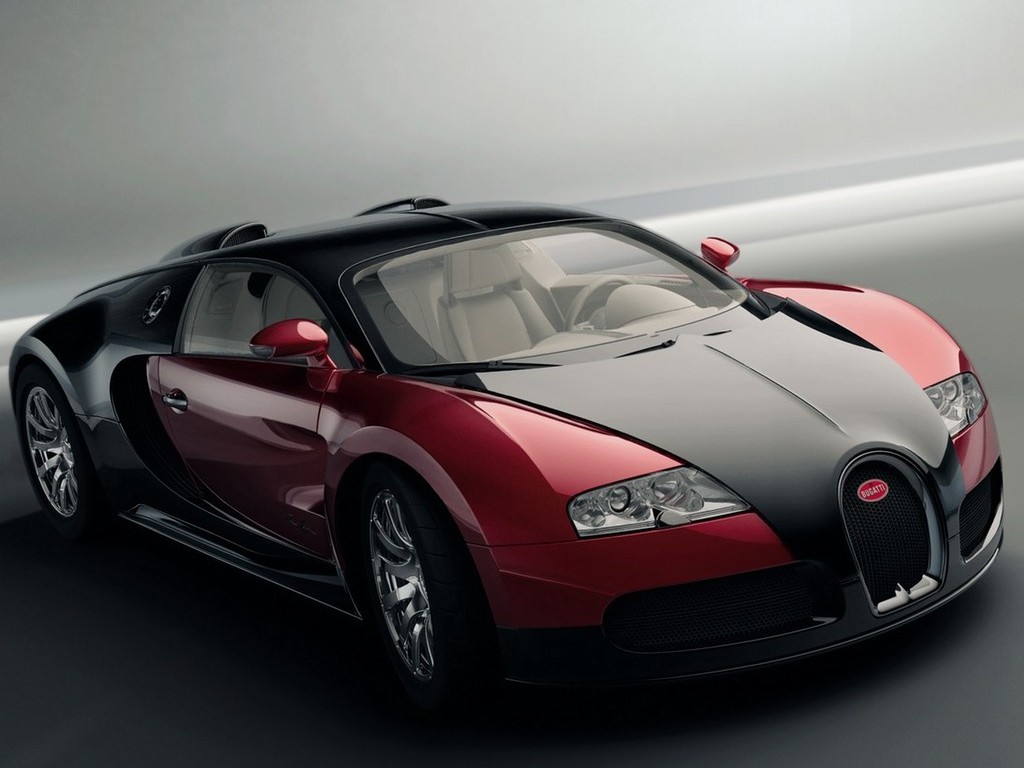
1. Bugatti Veyron Super Sports: $2,400,000. This is by far the most expensive street legal production car available on the market today (the base Veyron costs $1,700,000). Capable of reaching 0-60 mph in 2.5 seconds, the Veyron is the fastest street legal car when tested again on July 10, 2010 with the 2010 Super Sport Version reaching a top speed of 267 mph (430 km/h). When competing against a Bugatti Veyron, you better be prepared!

Bugatti Veyron: Most Expensive Car in The World
There is a tie for #2!

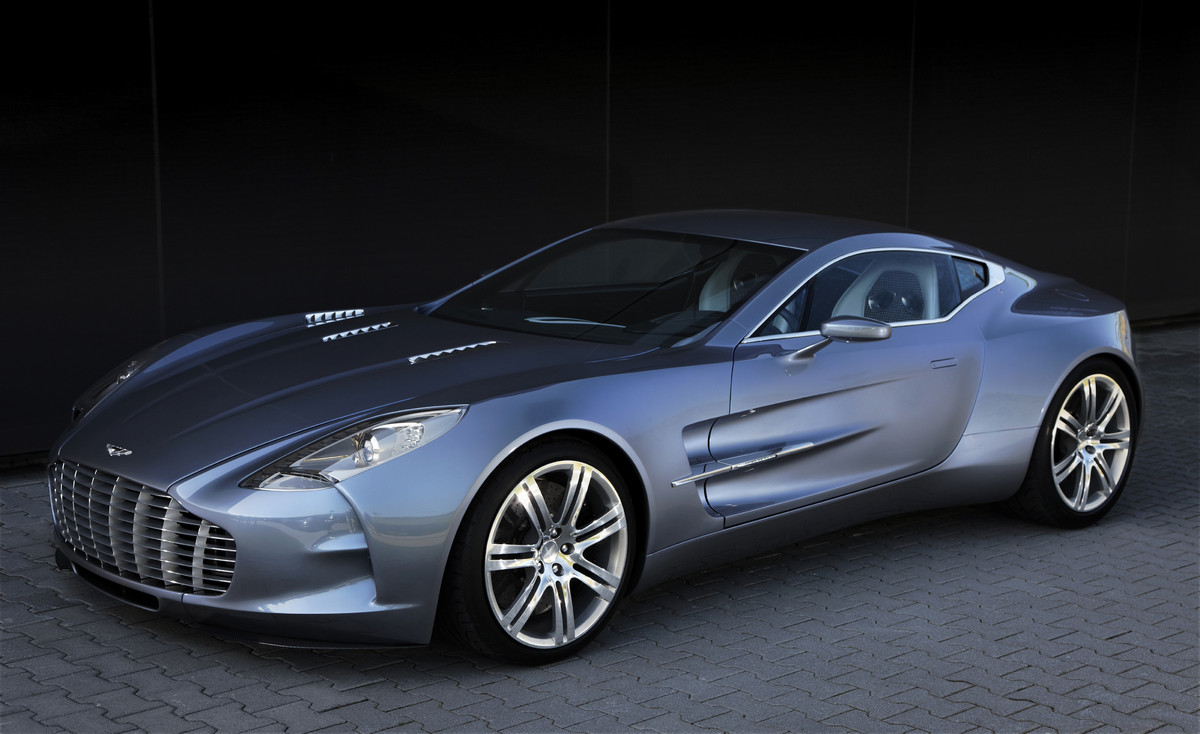
2. Aston Martin One-77: $1,850,000. The name "One-77" says it all: beauty and power in One, limited to 77 units. With 750 hp, it is able to go from 0 to 60 mph in 3.4 seconds with a maximum speed of 220 mph (354 km/h).

Very expensive and sexy car


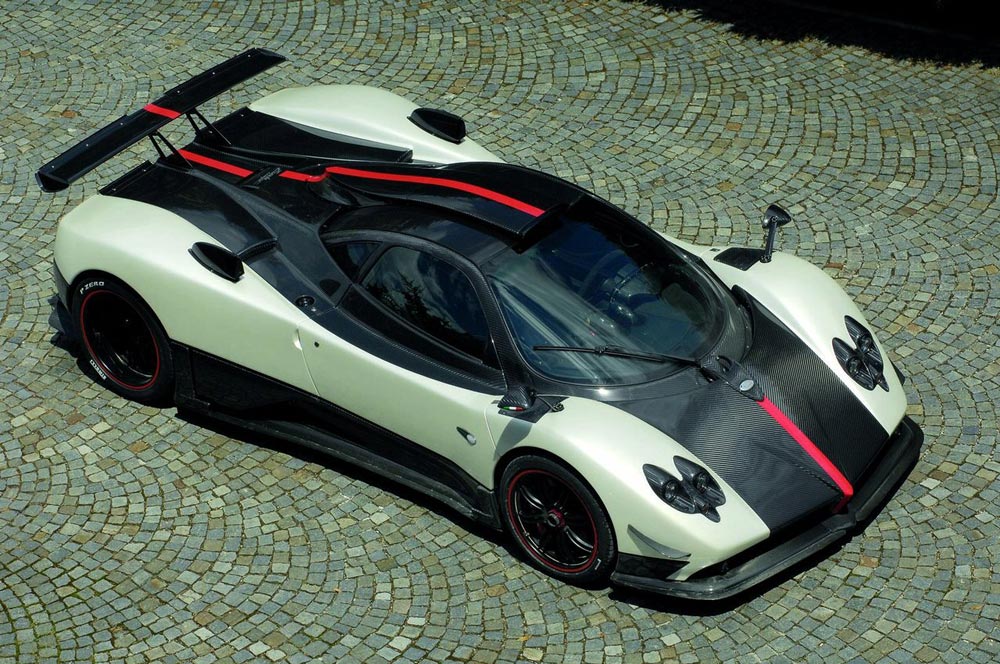
2. Pagani Zonda Cinque Roadster: $1,850,000. One of the most exotic cars out there is also one of the most expensive. It can go from 0-60 mph in 3.4 seconds with a top speed of 217 mph (349 km/h).

We have another tie for 3rd place:

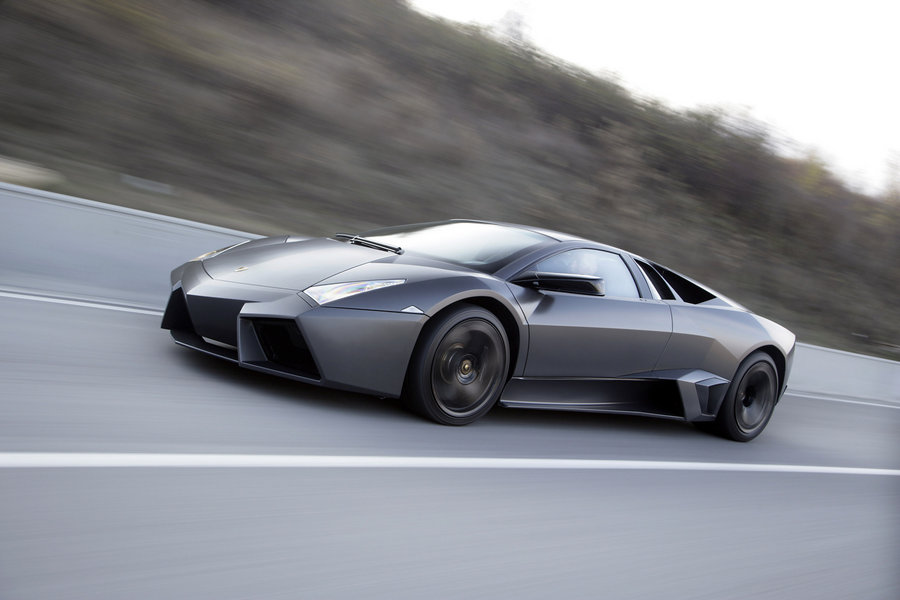
3. Lamborghini Reventon: $1,600,000. The most powerful and the most expensive Lamborghini ever built takes third place on the list. It reaches 60 mph in 3.3 seconds from 0, to go with a top speed of 211 mph (339 km/h). Its rare (limited to 20) and slick design are reasons why it is expensive and costly to own.

Lamborghini Reventon side view


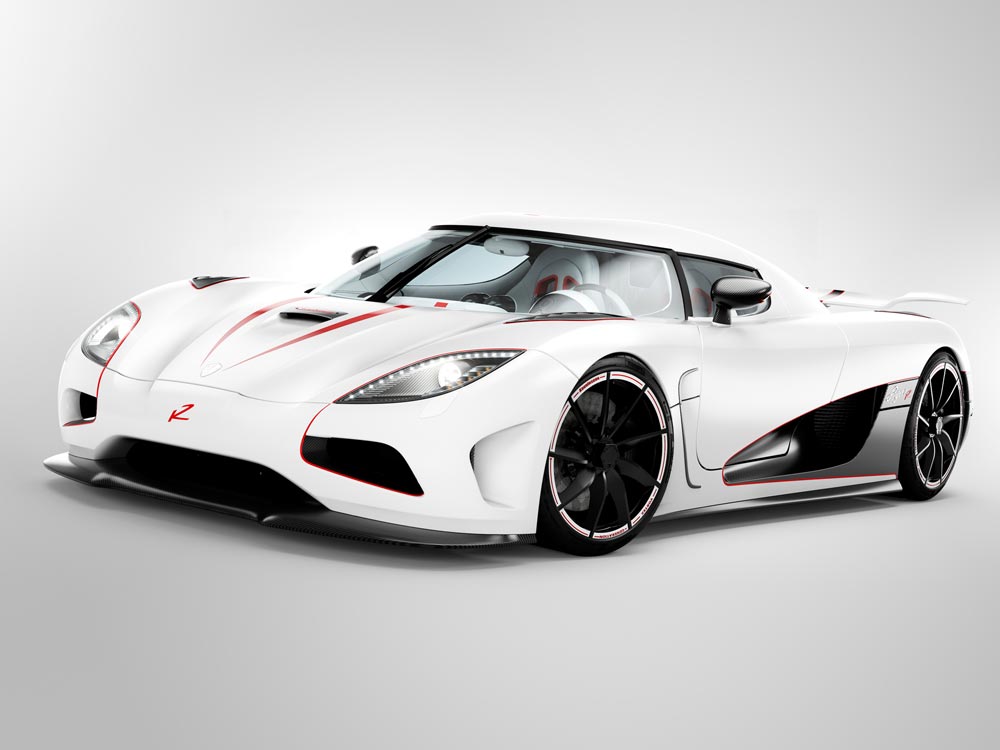
3. Koenigsegg Agera R $1,600,000. The Agera R goes from 0-60 mph in 2.8 seconds, reaching a maximum speed of 260 mph (418 km/h). It is capable of reaching 270 mph, but this supercar is electronically limited to 235 mph (378 km/h). You will need to sign a waiver, only then does the company unlock the speed limiter.


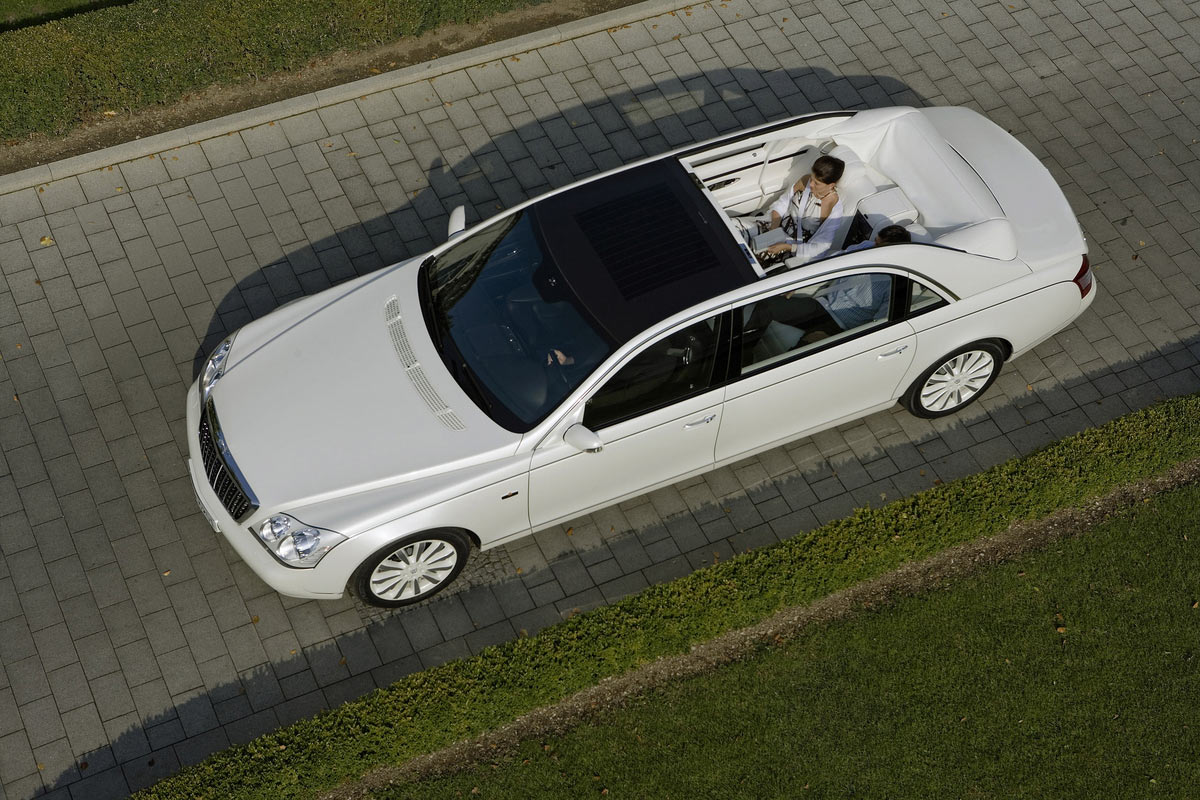
4. Maybach Landaulet: $1,380,000. The Landaulet is the most expensive sedan on the market and it can go from 0-60 mph in 5.2 seconds. It is one the most luxurious cars ever made, this comes with a convertible roof that fully opens at the rear. This Maybach is made especially for CEOs and Executives who have their own personal driver.


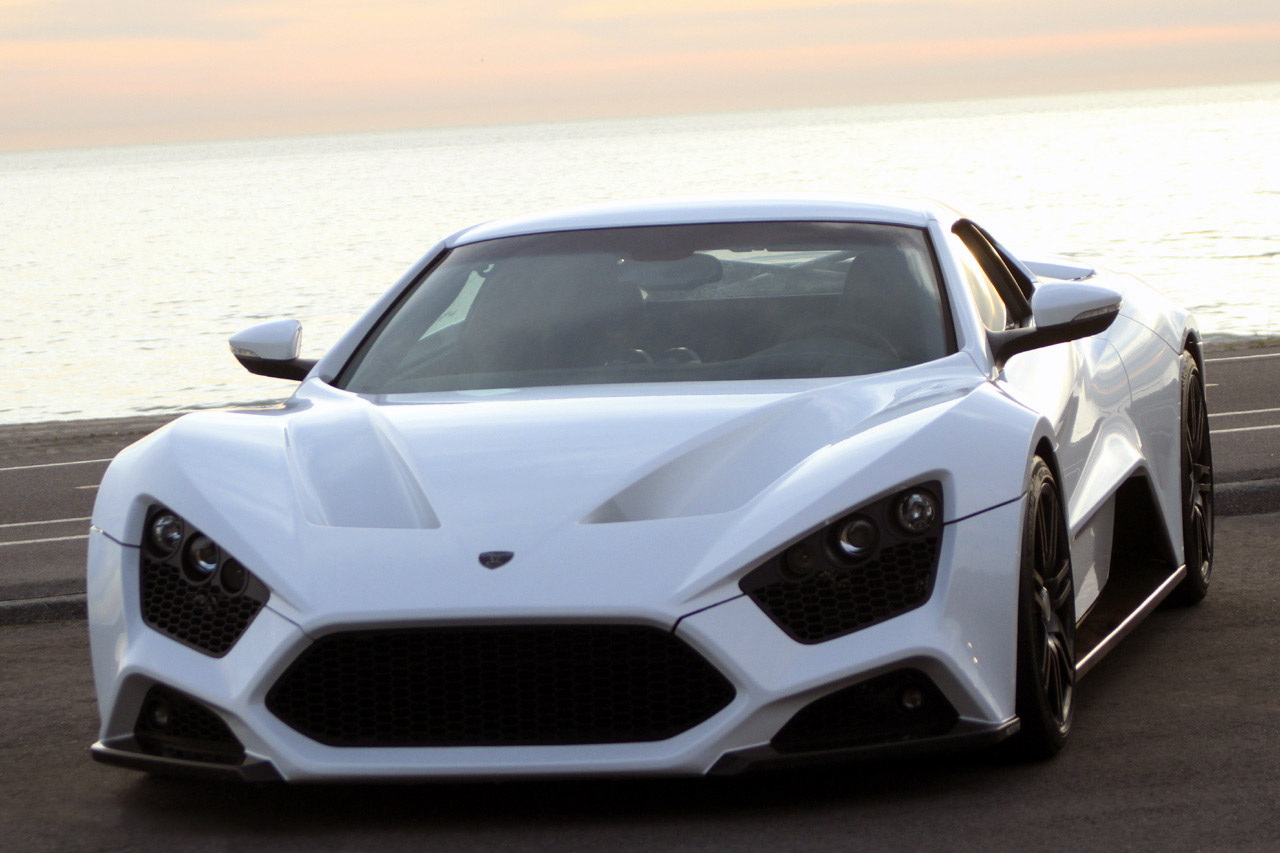
5. Zenvo ST1 $1,225,000. Able to reach 60 mph in 2.9 seconds and a top speed of 233 mph (375 km/h). The Zenvo ST1 is from a new Danish supercar company that will compete to be the best in speed and style. The ST1 is limited to 15 units and the company even promised "flying doctors" to keep your car running.

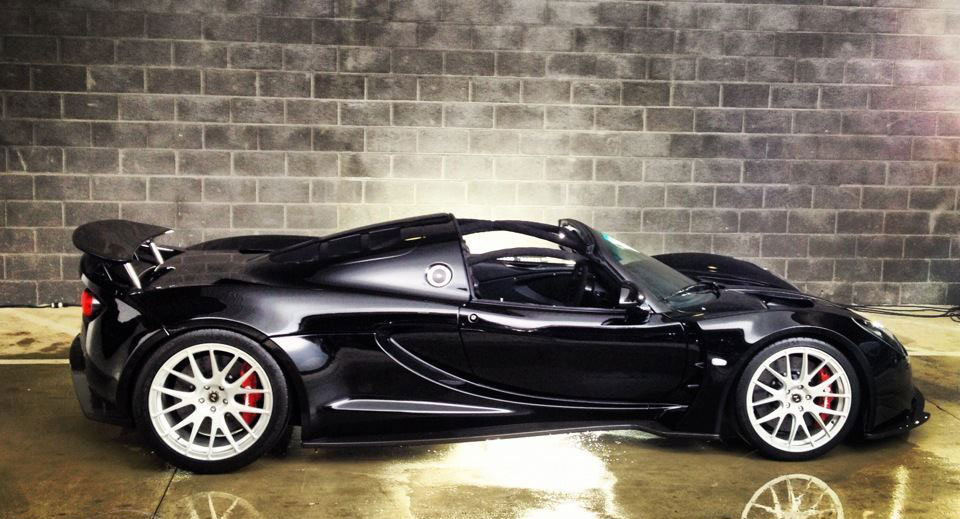
6. Hennessey Venom GT Spyder: $1,100,000. What makes the 2013 Hennessey Venom GT Spyder is its price tag, a compelling 1.1 million dollars. There is no other convertible in the world today that can match-up with this car. Not to mention that it goes from 0-60 mph in 2.5 seconds.


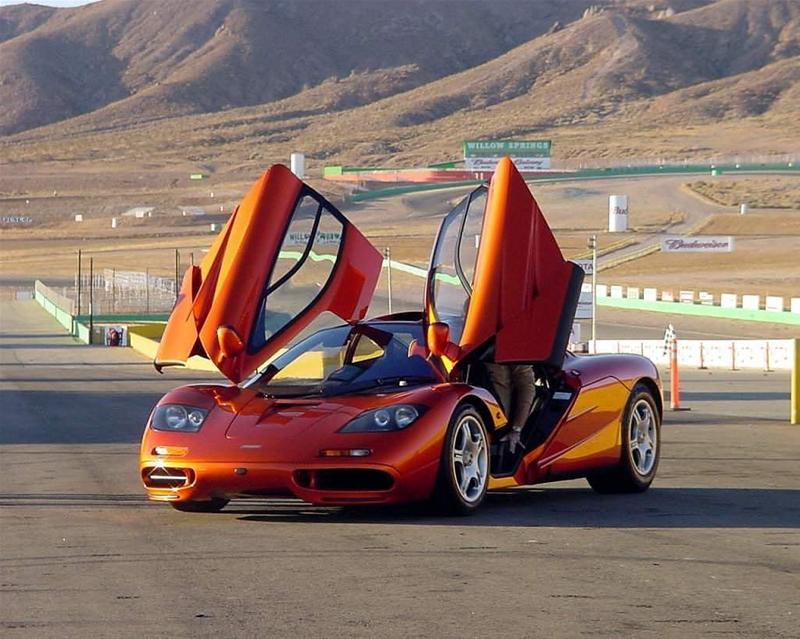
7. McLaren F1: $970,000. In 1994, the McLaren F1 was the fastest and most expensive car. Even though it was built more than 15 years ago, it still has an unbelievable top speed of 240 mph (386 km/h) and reaching 60 mph in 3.2 seconds. Even today, the McLaren F1 is still top on the list and outperforms other supercars.

McLaren F1 Orange with doors open


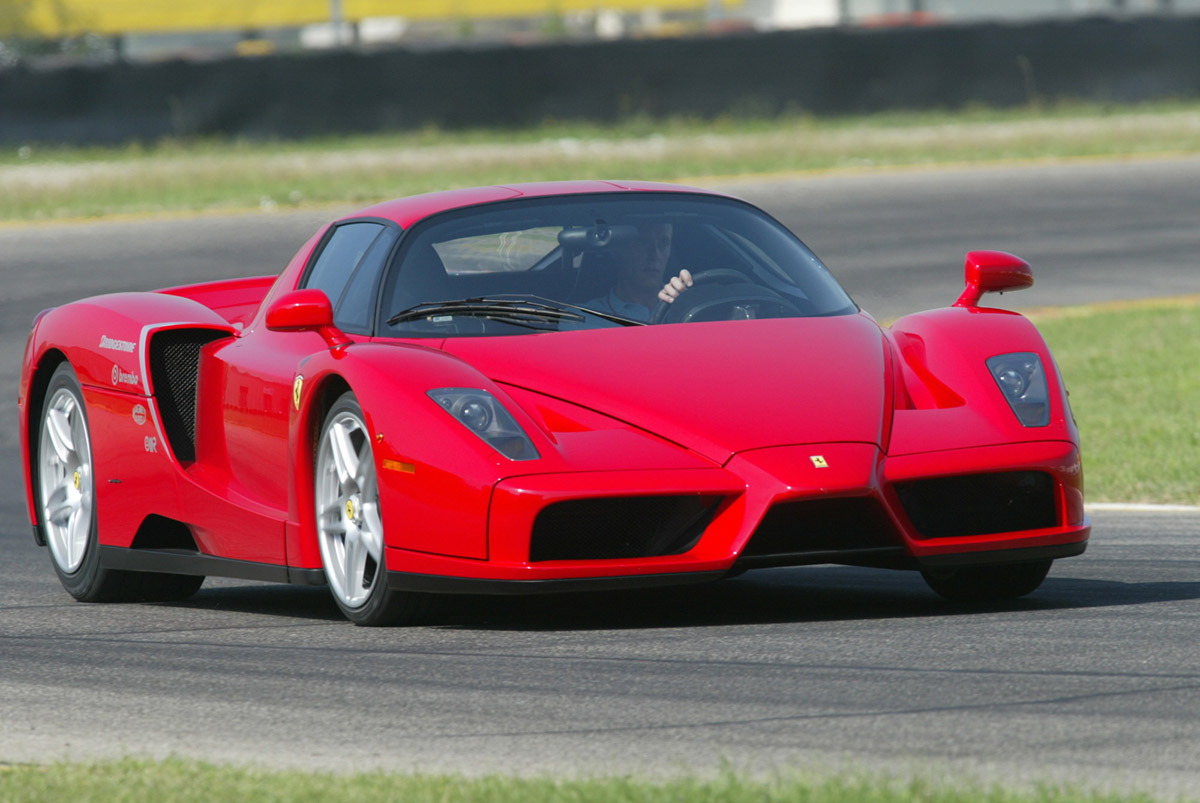
8. Ferrari Enzo: $670,000. The most popular supercar ever built. The Enzo has a top speed of 217 mph (349 km/h) and able to go from 0 to 60 mph in 3.4 seconds. Only 400 were produced and it is currently being sold for over $1,000,000 at auctions.

Ferrari Enzo track run front view


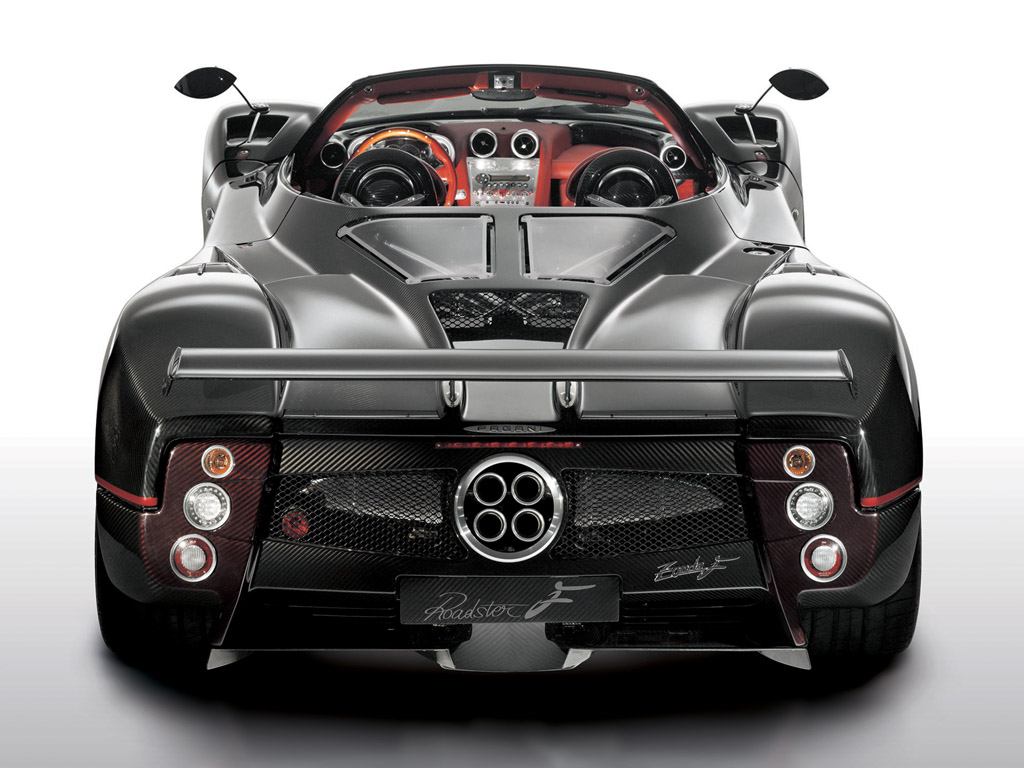
9. Pagani Zonda C12 F: $667,321. Produced by a small independent company in Italy, the Pagani Zonda C12 F is the 8th most expensive car in the world. It promises to deliver a top speed of 215 mph (346 km/h) and go from 0-60 mph in 3.5 seconds.

Pagani Zonda C12 F: 2nd Most Expensive Car in the World


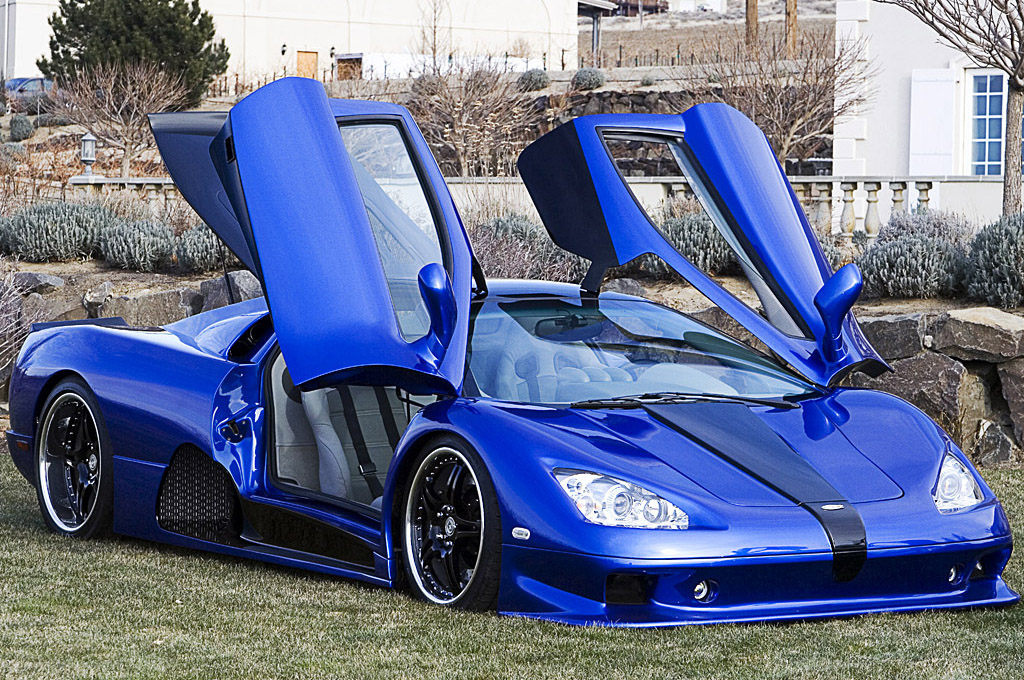
10. SSC Ultimate Aero: $654,400. Don't let the price tag fool you, this American made car is actually the 3rd fastest street legal car in the world with a top speed of 257 mph (413 km/h) and reaching 0-60 mph in 2.7 seconds. It costs less than half as much as the Bugatti Veyron, yet has enough power to compete against the most expensive car. It is estimated that only 25 of this exact model will be produced.

SSC Ultimate Aero 3rd most expensive car in the world

Monday, July 30, 2012

Features Of Windows 8 And Releasing Date


Feature

1. Support for both x86 PCs and ARM tablets
Windows 8 is the first edition of Windows to operate on both ARM-based tablets  and traditional x86 PCs based on ARM processors from Intel and AMD.
“Support for ARM-based chipsets, touch, and sensors makes Windows 8 work beautifully on your choice of a full spectrum of devices, such as 10-inch slates with all-day battery life, ultra-lightweight laptops, and powerful all-in-ones with 27-inch high-definition screens,” Microsoft  contends, in a Windows 8 Guide distributed with Windows Developer Preview
In addition, the ARM edition of Windows 8 includes a new mode dubbed “always on, always connected,” designed to let tablets act like smartphones. Tablets can remain in standby mode without disconnecting from the Internet, and then wake up instantly.
Windows 8 is designed to work seamlessly across both PCs and ARM tablets. Yet until developers get a real start on apps for Microsoft’s still empty Windows Store,  it’s tough to tell whether that will be universally true.

2. Touch-centric, Tiles-based User Interface (UI)
Although Windows 8 might look and feel like an entirely new “user experiemce,”, Microsoft is actually layering a new animation-enabled user interface (UI) on top of an only somewhat upgraded Windows 7.
The Windows 8 Start Menu is customizable through a mosaic of tiles, which differ from traditional desktop icons by letting you view live information from Windows 8 Metro style apps without actually accessing the apps.
In demoing the tile-based UI at last week’s Build conference , Microsoft showed how the tile for a Windows 8 weather app is able to display the current temperature in a city – along with projected temperatures for the next two days – without requiring you to open up the app. A tile for Windows Live Mail will show you your latest message, while a tile for a social networking app will show you notifications.
 “The [Metro] apps are full-screen. They’re beautiful.They’re designed for touch, but of course, they work great with a mouse and keyboard as well if that’s what you have. We wanted to make it really fast and fluid for you to switch between them,” according to Jensen Harris, lead program manager on the Microsoft Office User Experience..
Windows 8 users are also able to access Windows 7 apps. “Everything that runs on Windows 7 will run on Windows 8,” maintained Steven Sinofsky, president of Microsoft’s Windows and indows Live division, during a keynote at the Build conference. However, in order to access Windows 7 apps, you need to switch to a different built-in UI.

3. Charms
In large part, ‘charms’ is a new implementation of the traditional Windows start bar. Charms can also be used to quickly configure settings for individual apps. On an ordinary non-touch PC, charms are accessed by dragging the mouse to the bottom-left corner of the screen, to the same spot as the old Windows start button. On a tablet, you swipe from the right side of the screen to bring up charms.
Microsoft recently applied for a trademark on charms. The charms sidebar offers five sets of options, supporting both app-specific settings and system settings such as volume and brightness. The options include Start, Search, Share, Devices, and Settings. The Start option returns the user to the home screen. The Devices option presents a list of connected devices. Under the Share option, users can see social network sharing apps.

4. Snap Multi-tasking
‘Snap multitasking” is designed to make it easy to run two apps in Windows 8 side-by-side, to resize them, and to switch between them. On the right-hand side of the screen, you can snap an app into place.
You can make an app smaller or larger by dragging the bar for the app. To switch between apps in Windows 8, you swipe from the left-hand part of the screen.
However, Windows 8 does not allow you to view all of your running apps on a single screen. 

5. Windows 8 Control Panel
Beyond revamping the Windows task manager, Microsoft has also redesigned the control panel for Windows 8.  New options include Personalize, Users, Wireless, Notifications, General, Privacy, Search, and Share.
As Metro style apps become available, you'll be able to use the Personalize menu to customize the Start menu with tiles for calendar, music, e-mail, Netflix, and much more.
In a demo at Build, Julie Larson-Green, Microsoft's corporate VP of program management for Windows, showed how you’ll be able to position these Metro apps on the screen, and also to combine them into groups such as friends and games.

6. Web Navigation by Touch
The Internet Explorer (IE) 10 browser built into Windows 8 is designed to offer faster browsing through greater hardware acceleration, along with rapid gesture-based zoom, pan, and Web site navigation.
As in other areas of Windows 8, you can quickly access Windows 8 charms, as well as the two keyboards described below.

7. Two Touch Keyboards
Windows 8 also contains two soft keyboards: an “enhanced” traditional keyboard, plus a new thumbs keyboard for non-touch typists.
In efforts by Microsoft to make typing on a virtual keyboard faster and more accurate, the revised edition of the conventional keyboard suggests words on the screen as you type. You can then tap to selected a suggested word.  Microsoft also provides a spellcheck-like feature designed to automatically correct mistyped words – although like any other spellchecker, this feature carries the potential to cause its own errors.
The keyboards are also aimed at automatically adjusting to whaever human language you choose for Windows. These language settings will automatically apply to the entire computer, instead of only to specific apps

8. ‘Enhanced Copy Experience’ 
Windows 8 also introduces the ability to perform all current copy operations into a single dialog box, instead of requiring you to perform file copying in separate dialog boxes for each app.
The new dialog box for file copying lets you pause, resume, and stop each sopy operation currently under way. It will also warn you if you’re beginning to copy one version of a file on top of another.
Microsoft has also added a realtime throughput graph. “Now each copy job shows the speed of data transfer, the transfer rate trend, and how much data is left to transfer. While this is not designed for benchmarking, in many cases it can provide a quick and easy way to assess what is going on for a particular [copy] job,” noted Alex Simons, director of program management with the Windows 8 management team. 

9. Native USB 3.0 Support
New USB 3.0 ports operate at speeds up to ten times faster than )SB 2.0. To better support these speeds, Microsoft is outfitting Windows 8 with native USB 3.0 drivers.
Meanwhile, though, USB 3.0 will purportedly continue to work under Windows 7, through the use of third-party drivers.
“By 2015, all new PCs are expected to offer USB 3.0 ports, and over 2 billion new ‘SuperSpeed’ USB devices will be sold in that year alone,” said Dennis Flanagan, director of program management for the Windows 8 Devices and Networking Group, in a blog post. “There are also billions of older USB devices that Windows must remain compatible with.”

10. Better Support for Multiple Monitors
Windows 8 also brings increased support for multiple monitors, The Developers Preview of the new OS includes first-time capabilities for extending the taskbar across two PCs, without any need for third-party apps. You can also stretch wallpaper across two monitors, or display the Start screen on one PC and the desktop on the other, for instance.
It's also easy to switch between multiple monitors. The primary monitor has a start button, and the secondary monitor has a switcher button. Clicking or tapping on the switcher button will swap it out for the start button, allowing you to turn the secondary monitor into the primary one.


Recommended System Requirements for Windows 8

  • Processor: 1GHz
  • RAM: 1GB (32-bit) or 2GB (64-bit)
  • HD Space: 16GB (32-bit) 20GB (64-bit)

Windows 8 Release date

Windows 8 is Set to be released on 26th October 2012  Windows is the most commonly and widely used Operating System in the world being developed by Microsoft. It is a great challenge for Microsoft now, to make an OS which is more impressive than its previous version Windows 7.

Tuesday, July 17, 2012

Automatically Turn on PC at Certain Time


First Way :
  1. Start your computer and press "DEL" to enter set up screen (BIOS).
  2. Use the arrow keys to go to the "Power" tab.
  3. Scroll to "Power Up Control" and press "Enter" key.
  4. Next, scroll to "Automatic Power Up" option and select "Everyday".
  5. Now, go to "Time Alarm" and press enter to update the required time to turn on.
  6. Save changes (press Esc & Yes) and reboot your computer.
  7. Turn your computer off each night and it will automatically boot itself everyday at the specified time.

Second Way :
  1. Go to "System Preferences"
  2. Click on the option called "Energy saver"
  3. Click on the button that says "Schedule"
  4. Check the box that says "Start Up or Wake" and select the frequency (Weekdays/Weekends/Everyday) and required time.
  5. Turn your computer off each night and it will automatically boot itself everyday at the specified time.

Saturday, May 19, 2012

WATCH SET MAX ONLINE FREE

Friday, April 27, 2012

watch ipl live match online

IPL 2013 Match Schedule

Friday, April 13, 2012

4G Speed Test


Goto Top